
Download USB Device Tree Viewer – USB device tree, Android USB debugging, USB device information, USB tree visualization, Android developer tool
Overview
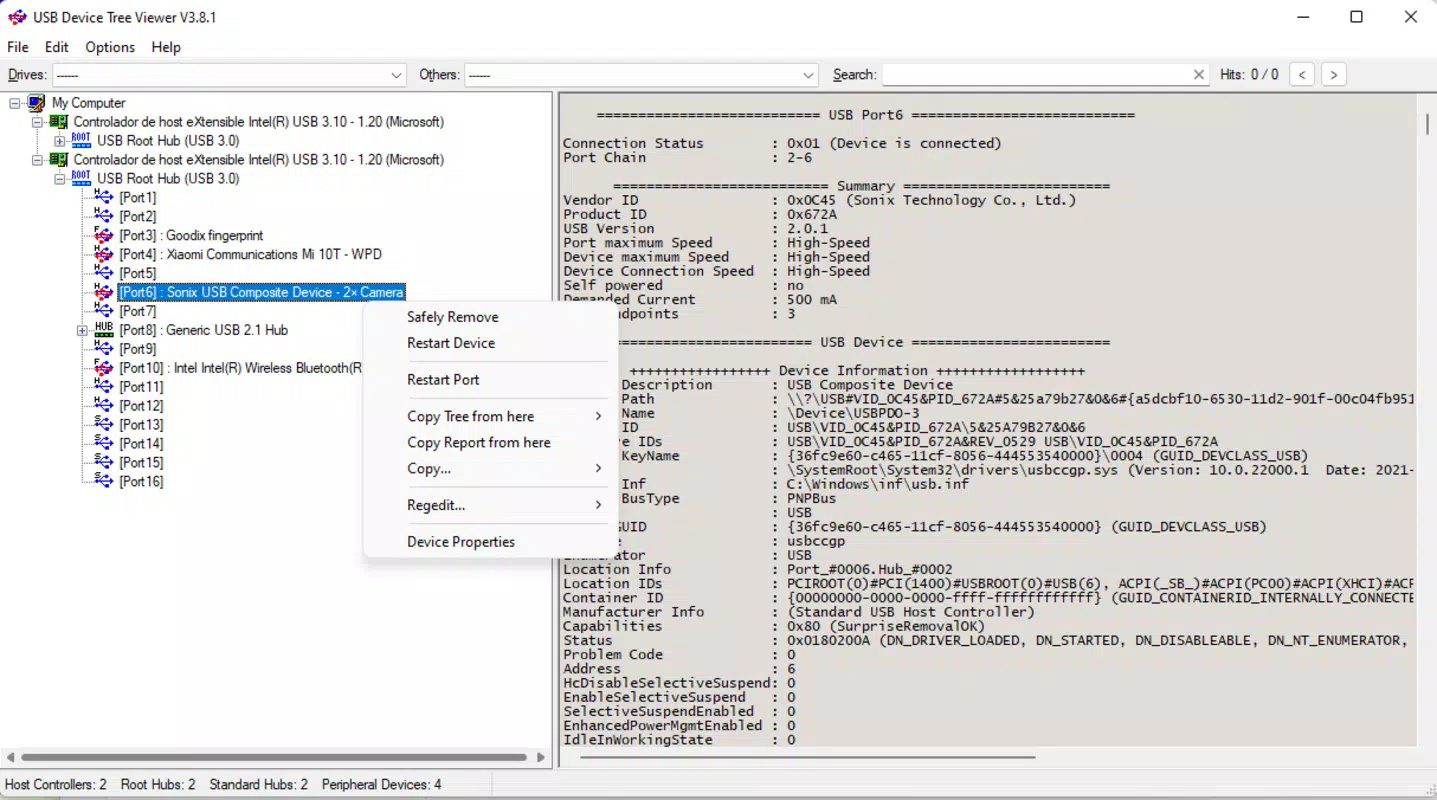
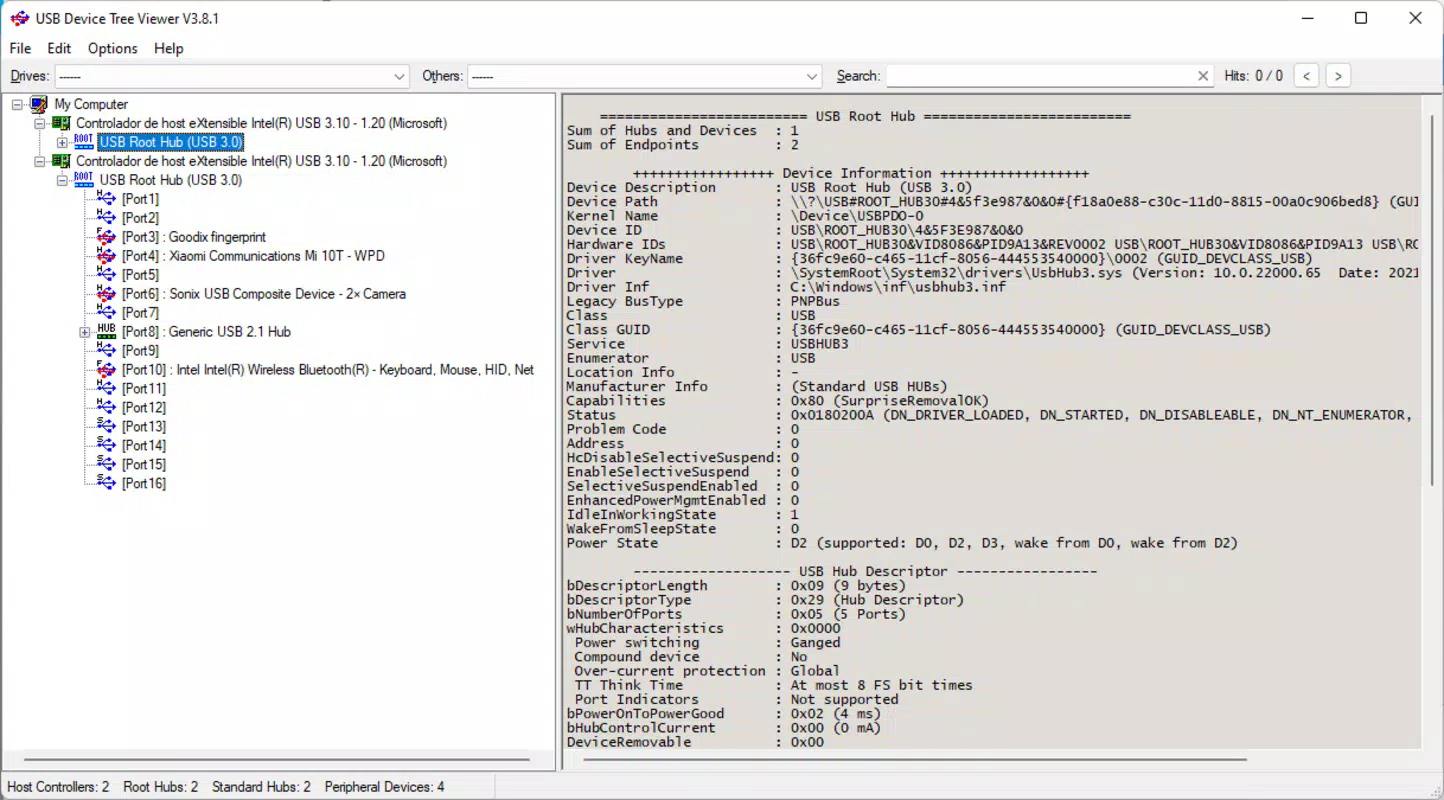
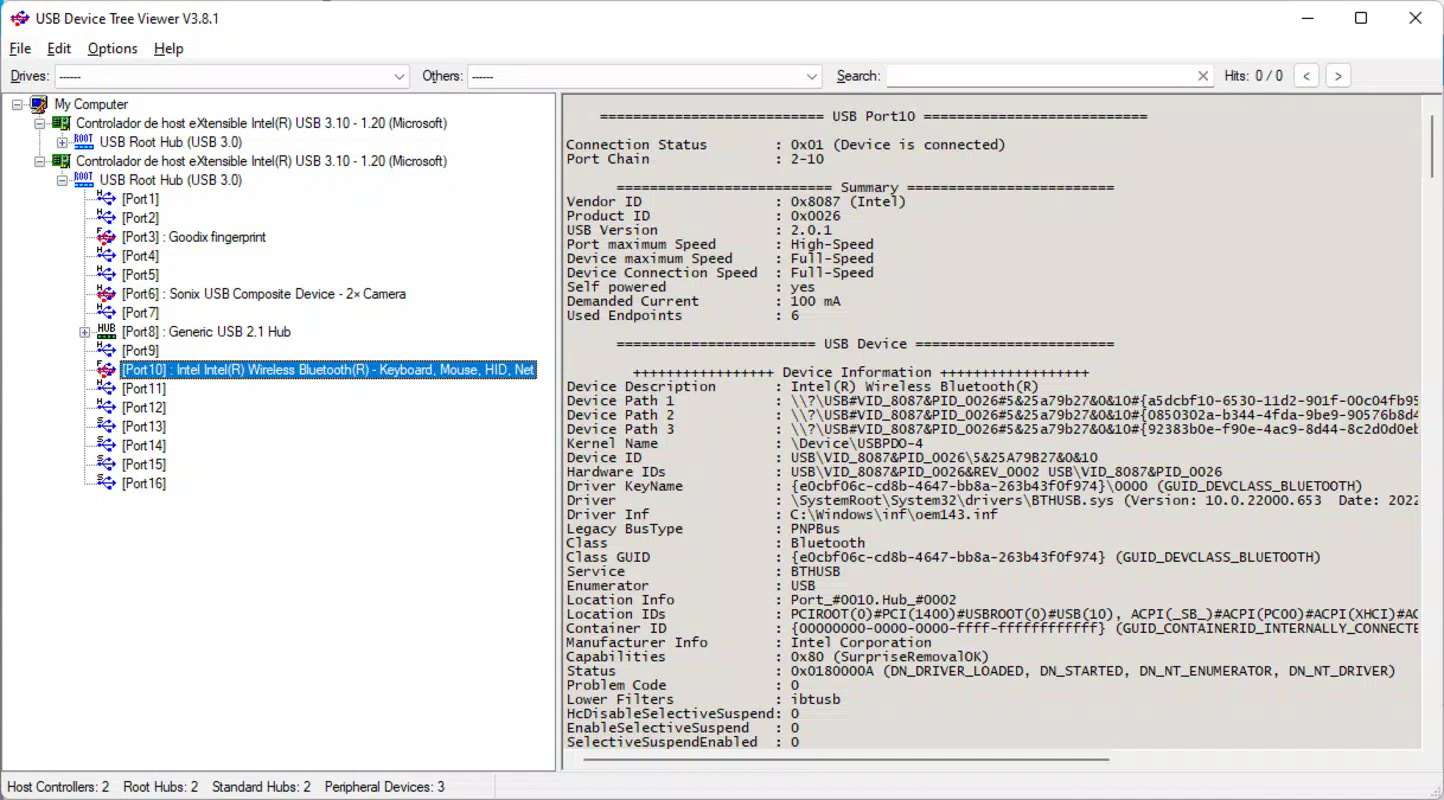
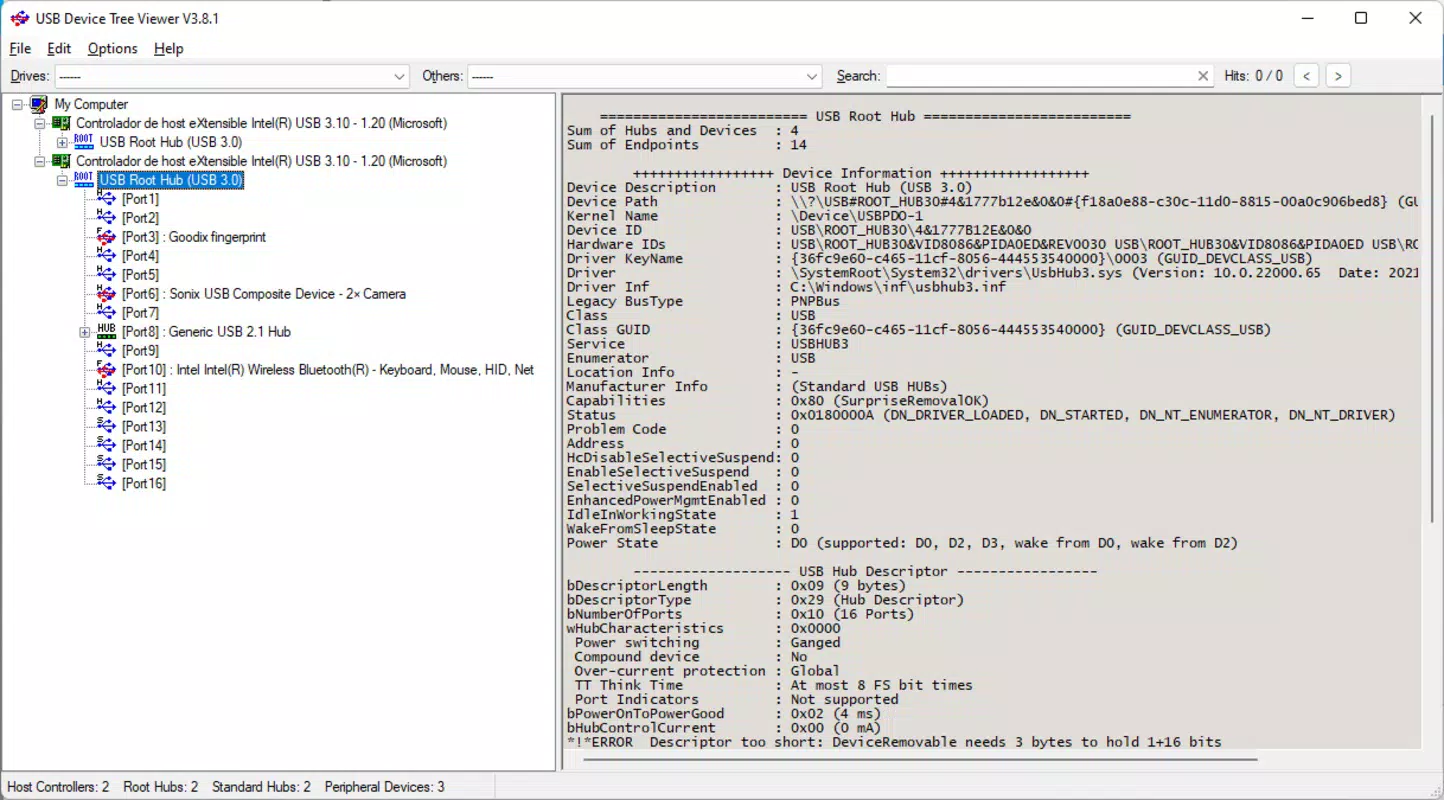
The USB Device Tree Viewer is a specialized utility designed for developers and technical users who require detailed insight into the USB architecture of Android devices. Its primary purpose is to visualize the hierarchical structure of connected USB devices, offering a clear representation of how peripherals are linked and recognized by the system. This app addresses a common challenge in Android development: the difficulty of diagnosing USB communication issues without direct access to low-level system data. By displaying the USB device tree, it enables users to identify device connections, understand device hierarchy, and troubleshoot potential conflicts or misconfigurations.
Target users include Android developers, system administrators, hardware testers, and advanced users involved in embedded systems or device driver development. The app is particularly valuable during debugging sessions when verifying whether a peripheral is properly enumerated or if a USB hub is functioning as expected. Real-world use cases include validating USB OTG (On-The-Go) functionality, diagnosing intermittent device disconnections, and analyzing device-specific descriptors during firmware testing.
Developed by Thomas P. Larson, the app reflects a focused effort to provide a lightweight, no-frills tool for a niche technical audience. The developer did not provide additional technical details or background information beyond the app’s name and purpose. Despite its limited scope, the app fills a gap in the Android productivity ecosystem by offering a dedicated solution for USB diagnostics, a task typically handled through command-line tools or complex software suites.
Key Features & Functionality
- USB Device Tree Visualization – Presents a hierarchical, tree-based layout of all connected USB devices, showing parent-child relationships and device levels within the USB topology.
- Real-Time Device Status Monitoring – Continuously updates the tree structure to reflect dynamic changes such as device plug-in, plug-out, or connection errors.
- Device Information Display – Shows detailed metadata for each USB device, including vendor ID, product ID, device class, and interface information.
- Minimal Resource Usage – Designed to operate efficiently with low memory and processing overhead, ideal for use on devices with limited resources.
- Developer-Focused Interface – Prioritizes clarity and accuracy over aesthetic polish, ensuring that technical data is presented in a structured and accessible format.
Each feature serves a specific function in the debugging workflow. For example, the tree visualization helps developers quickly identify whether a USB hub is properly cascading devices or if a device is incorrectly nested. Real-time monitoring allows for immediate feedback during testing, making it easier to correlate physical actions (like plugging in a keyboard) with system-level responses. The device information display supports deeper analysis, enabling developers to cross-reference IDs with known hardware specifications or driver compatibility lists.
These capabilities make the app a practical tool for validating USB configurations in development environments, especially when working with custom hardware or embedded Android systems. Its straightforward functionality ensures that users can focus on problem-solving rather than navigating complex interfaces.
Interface, UX & Performance
The user interface of USB Device Tree Viewer is designed with functionality over flair, catering specifically to technical users who prioritize information density and accuracy. The layout presents the USB device tree in a clean, text-based hierarchy, with indentation and visual cues to indicate device levels and relationships. Navigation is straightforward, relying on a single screen with a scrollable view of the device structure.
Interaction is minimal and intuitive: users simply open the app and view the current USB topology. There are no onboarding steps, settings menus, or optional configurations, which streamlines access but limits customization. The app does not include visual icons or animations, maintaining a consistent and distraction-free experience.
Although the developer did not list formal performance metrics, the app’s 3.5 MB file size suggests a lightweight design optimized for efficiency. It is expected to run smoothly on a range of Android devices, including mid-tier and older models. Responsiveness appears to be consistent with real-time updates, as the app is intended to reflect immediate changes in device connectivity. Stability is likely maintained through a focused scope and minimal background processes.
Platform Compatibility & Technical Requirements
USB Device Tree Viewer is available exclusively on the Android platform. It is designed to operate on devices running a compatible version of the Android operating system. The app’s software version is 1.0.0, indicating it is in its initial release phase.
The file size is 3.5 MB, which is compact and suitable for download on devices with limited storage. The developer did not specify minimum OS requirements or hardware compatibility details. As such, compatibility with specific Android versions or device types remains unclear. Users should ensure their device supports USB debugging and has the necessary system-level access to read USB device information.
Pros and Cons
Pros
- Lightweight design with minimal resource consumption
- Provides essential USB device tree visualization for developers
- Free to download and use, with no in-app purchases
- Simple, focused interface tailored to technical users
- Real-time updates for dynamic USB connection monitoring
Cons
- No detailed documentation or user guide provided
- Interface lacks visual polish and modern design elements
- Compatibility with specific Android versions not disclosed
- Only available on Android, limiting cross-platform access
- No support for exporting or saving device tree data
FAQ
Is USB Device Tree Viewer safe to install on my Android device?
The app is free and developed by Thomas P. Larson. It does not require excessive permissions and operates within standard Android security boundaries. As with any app, users should download it from trusted sources to ensure integrity.
Can I use this app without USB debugging enabled?
While the app may display some basic device information, full functionality likely requires USB debugging to access low-level USB system data. Users should enable USB debugging in Developer Options for optimal results.
Does the app support iOS devices?
No, USB Device Tree Viewer is designed exclusively for Android devices and is not compatible with iOS platforms.
How often does the app update the USB device tree?
The app provides real-time updates, refreshing the device tree as soon as a connection change is detected. The exact update frequency depends on system-level event handling and device responsiveness.
Can I export or save the USB device tree data?
The developer did not specify export or save functionality. The app currently displays data only during active sessions and does not support persistent storage of device information.
Final Thoughts
USB Device Tree Viewer stands out as a niche but valuable tool in the Android developer toolkit. Its focused design and specialized functionality make it ideal for professionals working with USB hardware, embedded systems, or low-level Android development. While it lacks the polish and advanced features of mainstream apps, its simplicity and efficiency are strengths in a technical context.
For developers and testers who need quick, reliable access to USB device topology, this app delivers on its promise. It fills a gap left by general-purpose utilities and provides a dedicated solution for a specific diagnostic need. The free price point further enhances its appeal, especially for users working on tight budgets or in experimental environments.
Download USB Device Tree Viewer now


